Built for outrigger canoe schools

System for outrigger canoe schools

Centralize students, classes, check-ins, monthly fees and your school's management in one place, cutting the dependence on spreadsheets and manual WhatsApp control.

If you are looking for a system for your outrigger canoe school, IMUA Checkin was designed for exactly this routine: classes on the beach, limited seats per canoe, students confirming at the last minute and monthly fees to track every month.

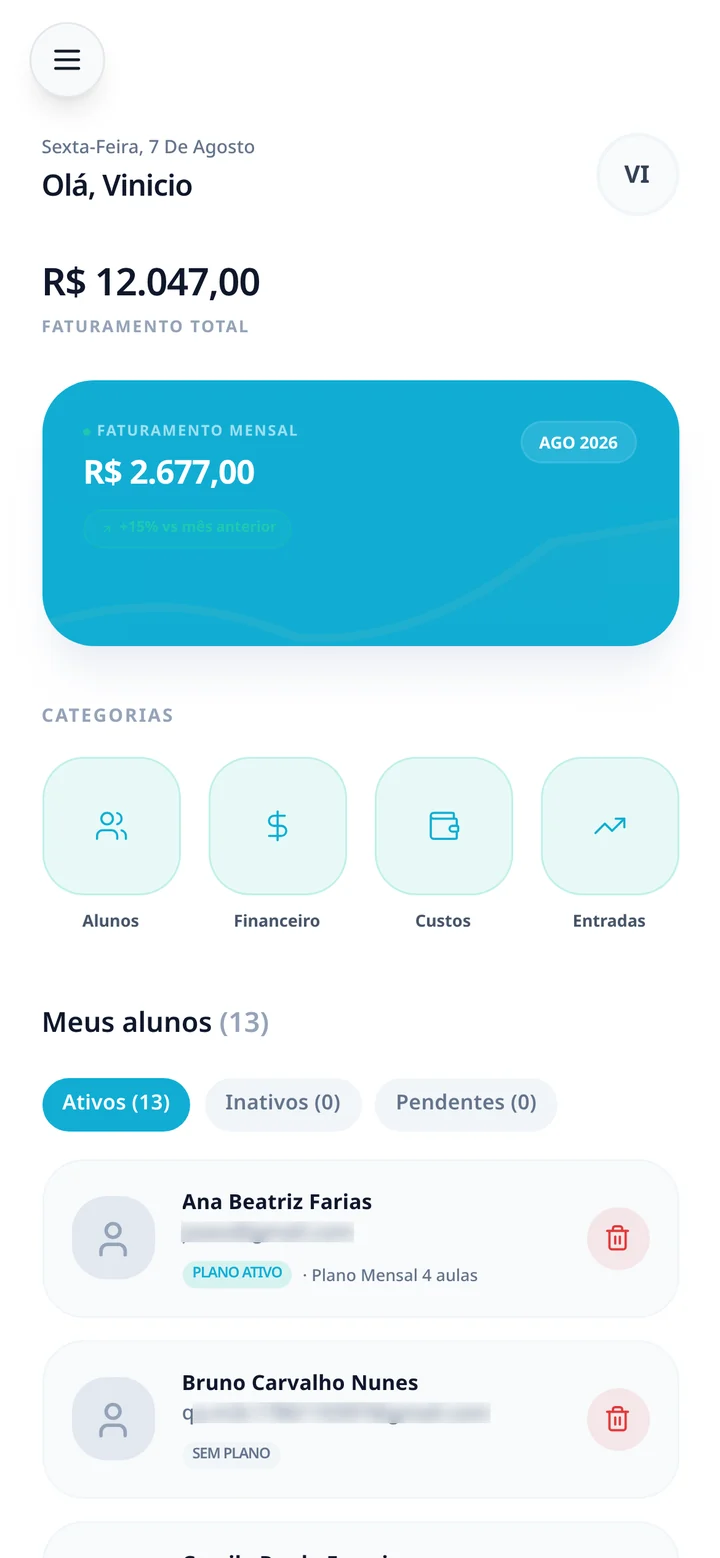
IMUA Checkin dashboard showing the day's classes and the available seats

Students and groups in a single record

Each student has a profile with contact details, current plan, class history and health form. You approve who joins the school, see who is active and find any student in seconds — no digging through old chats or spreadsheet tabs.

Students and groups in a single record

Classes and schedule at the pace of the beach

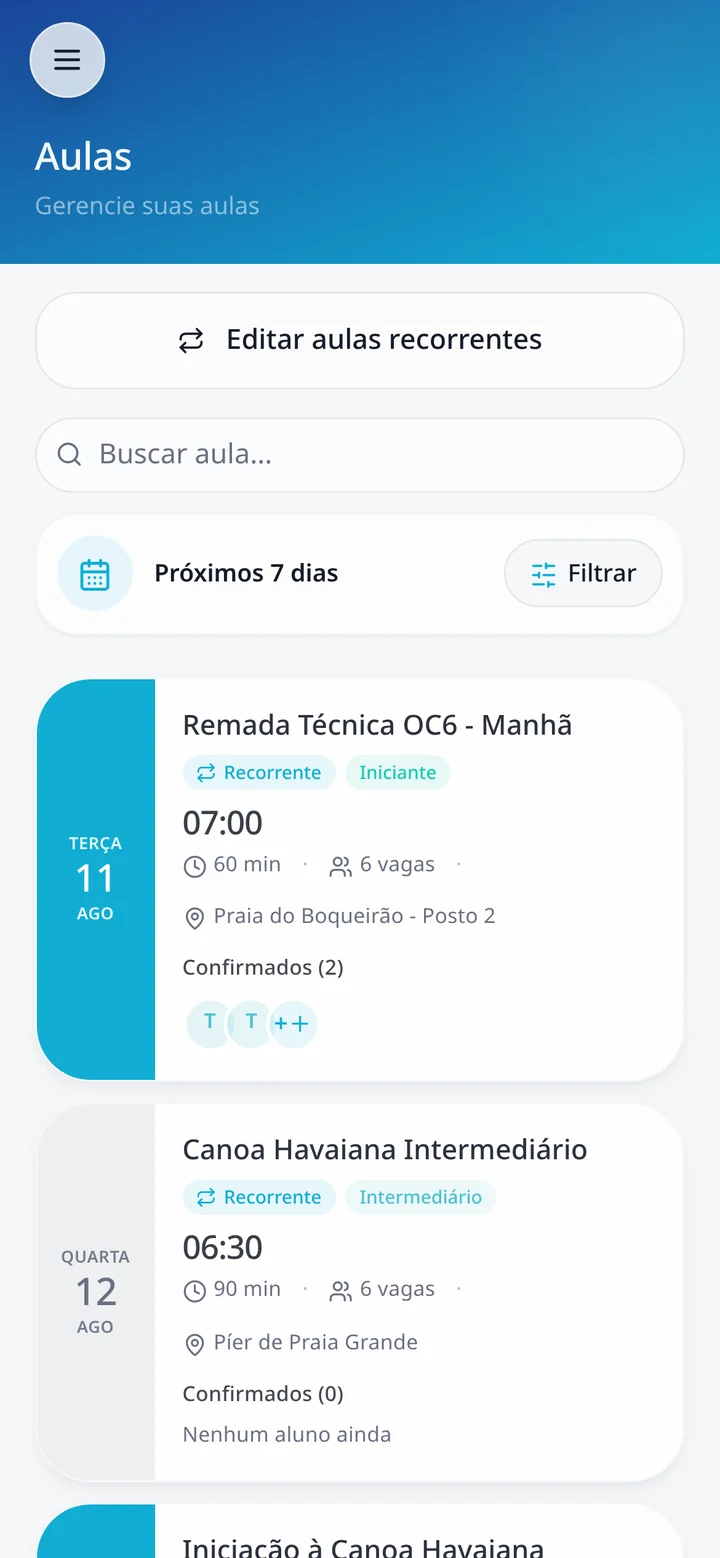
Create recurring or one-off classes and set the time, location, instructor in charge and number of seats. Students see the updated schedule on their phone and you follow, class by class, who confirmed and how many seats are left.

Classes and schedule at the pace of the beach

Check-in and attendance without paper lists

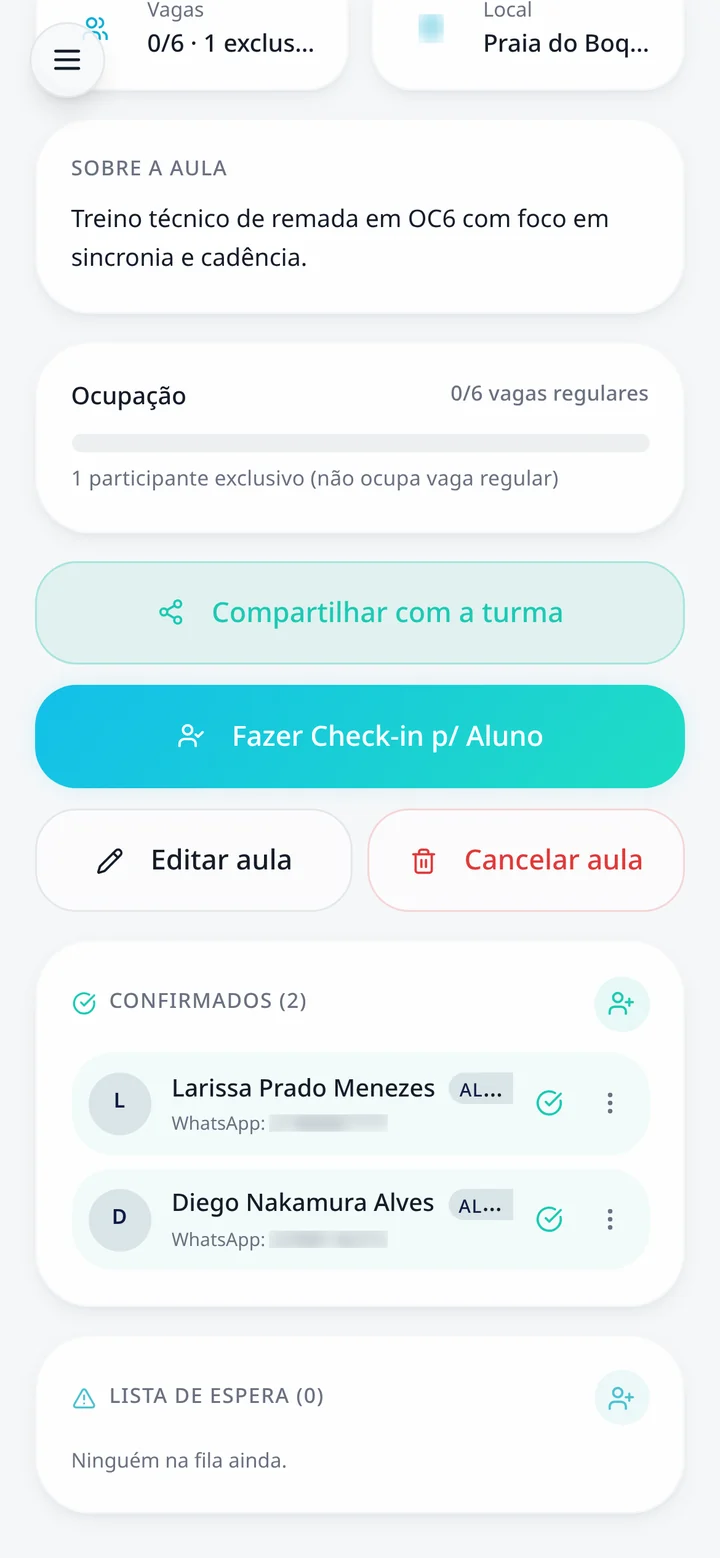
The student confirms attendance from their own phone and the seat is reserved right away. When a class fills up, the waitlist takes over: if someone cancels, the seat goes to the next in line. You get to the beach already knowing who is coming.

Check-in and attendance without paper lists

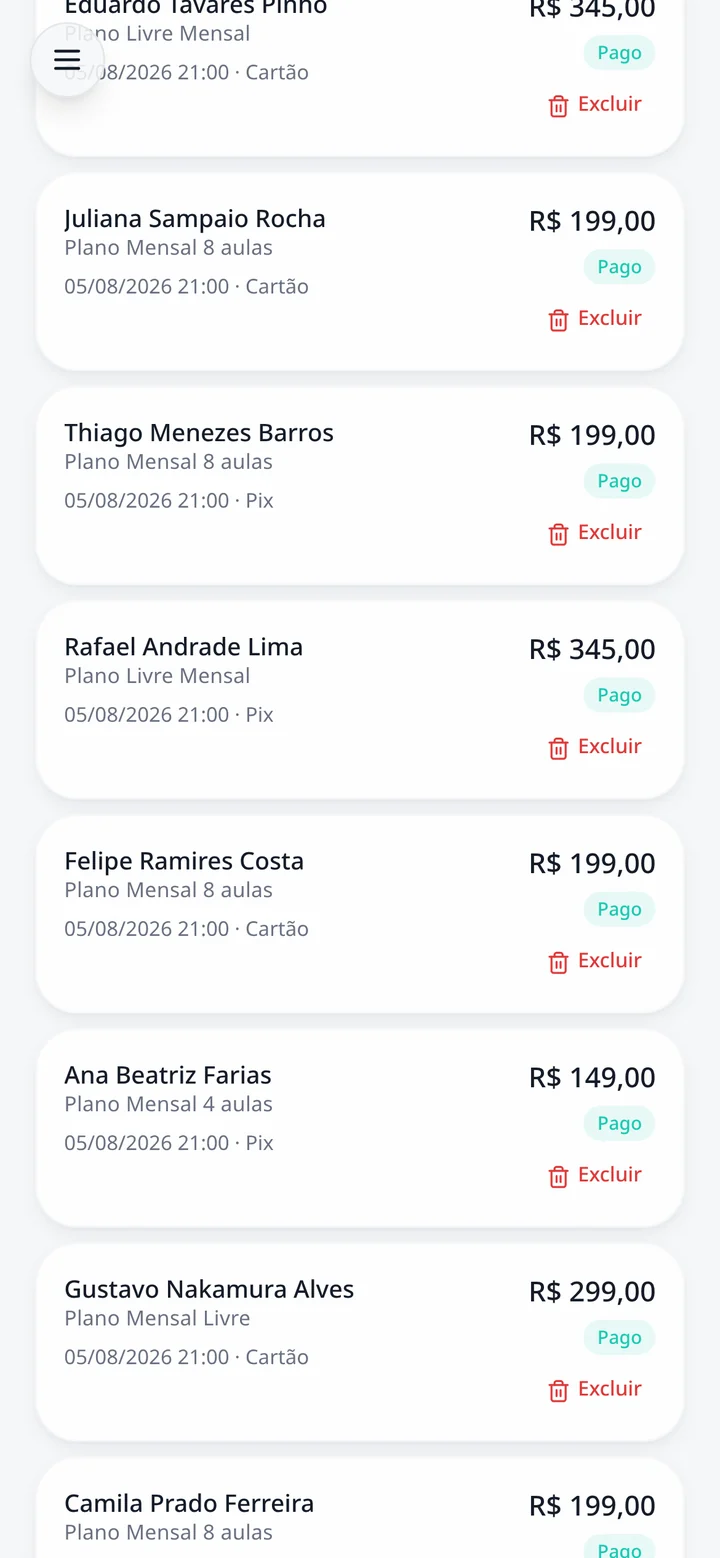
Monthly fees and payments closely tracked

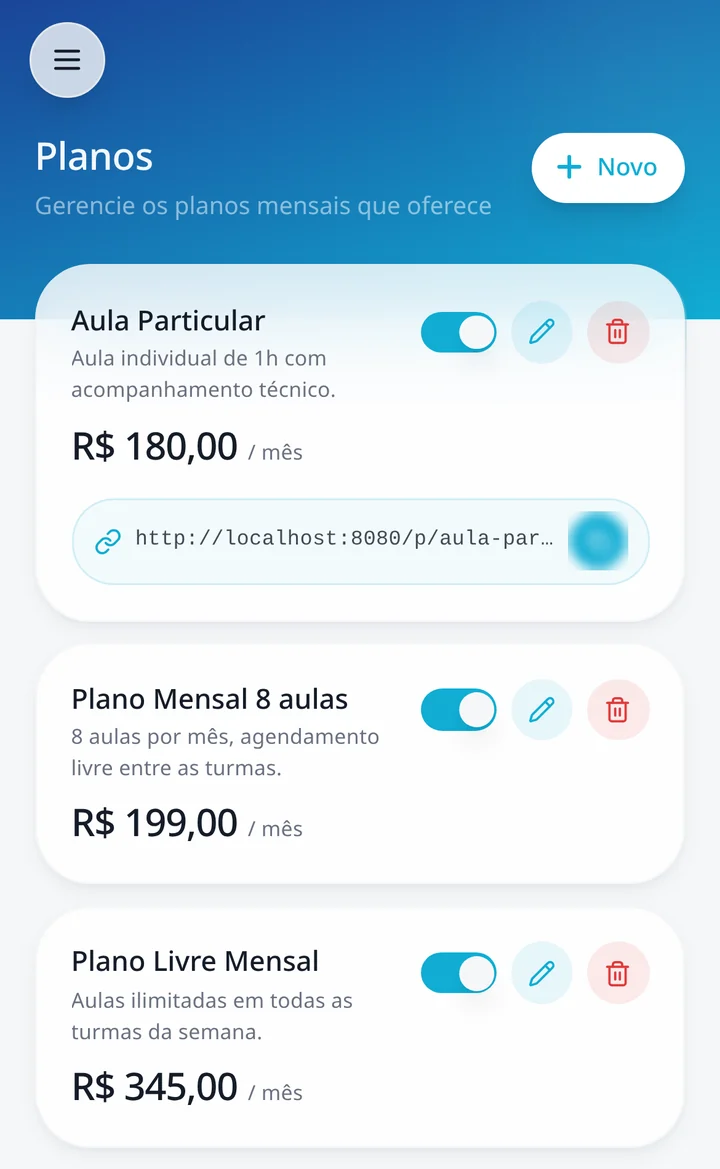
Register your school's plans, link each student to a plan and see who is up to date and who is overdue. With Mercado Pago connected, the student pays by Pix or card inside the app and the payment status shows up on your dashboard.

Monthly fees and payments closely tracked

Visitor management with its own page

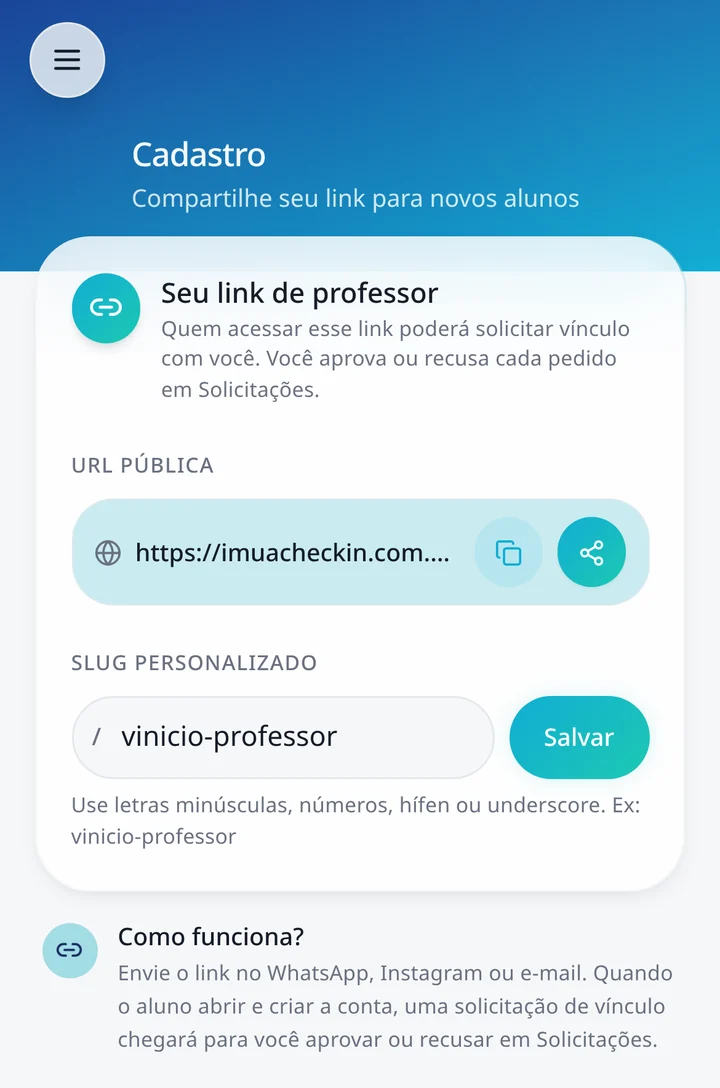
Your school gets a public visitors page: anyone who wants to try a class picks an available one, fills in their details and health form, and the request reaches you to approve, reschedule or decline. An approved visitor takes a seat like any other student.

Visitor management with its own page

Reports to see the operation

Attendance per student, class occupancy and the history of groups, events and private classes are all recorded. Instead of relying on memory, you look at the numbers before opening a new group, changing a time or talking to a student who disappeared.

Reports to see the operation

Who it is for

Built for whoever runs the day-to-day operation, not for large gym chains.

  • Outrigger canoe schools

    Fixed groups, seats per canoe and students on monthly plans.

  • Clubs and associations

    Several instructors, different schedules and a single dashboard.

  • Teams and projects

    Attendance and frequency control for people who train regularly.

  • Independent coaches

    Professional organization without needing a front desk.

How to start

Three steps to your first class organized inside the system.

  1. 01

    Create your account

    Free sign-up, no credit card. Your school is created in a few minutes.

  2. 02

    Set up groups and plans

    Add the week's classes, the seats in each canoe and the plans you charge.

  3. 03

    Invite your students

    Students install the app from the browser, on iPhone or Android, and start checking in.

Frequently asked questions

Do I have to migrate everything from my spreadsheet at once?
No. You can start with one group and a few students, see how it works in practice and bring the rest over as the school gets used to it.
Does it work for small schools?
Yes. IMUA works the same for one coach with a single group and for a school with several instructors; what changes is the number of classes and students.
How does student billing work?
You register your school's plans and track each student's status. By connecting your Mercado Pago account, students pay by Pix or card inside the app and the payment is recorded on your dashboard.
Do I need to install anything from an app store?
No. IMUA is an installable web app: you and your students add it to the home screen straight from the browser, on iPhone or Android.
Can someone who is not a student yet join a class?
Yes, through your school's visitors page. They pick a class with an open seat, send their details and health form, and you decide whether to approve.
Do I need internet to use it on the beach?
Yes, IMUA works online. In practice the student checks in before the class, so you arrive with the attendance list ready on your phone.

Bring your school's management into one place

Free trial, no credit card. You can organize your groups and students today.

View monthly fee management for teachers